Getting started
Creating your account
Signing up, confirming your email, and creating the workspace your organization's records will live in.
Sign up
Signing up takes about a minute. There is no credit card at this step, on any plan.
Go to fundwisr.ai/signup and enter your name, work email, and a password.
Use the email address you actually read. Deadline reminders and reports go there.
Check your inbox for the confirmation email and open the link inside it.
The link signs you in and takes you straight to workspace setup. If it does not arrive within a few minutes, check spam, then try again from the sign-in page.
Create your workspace
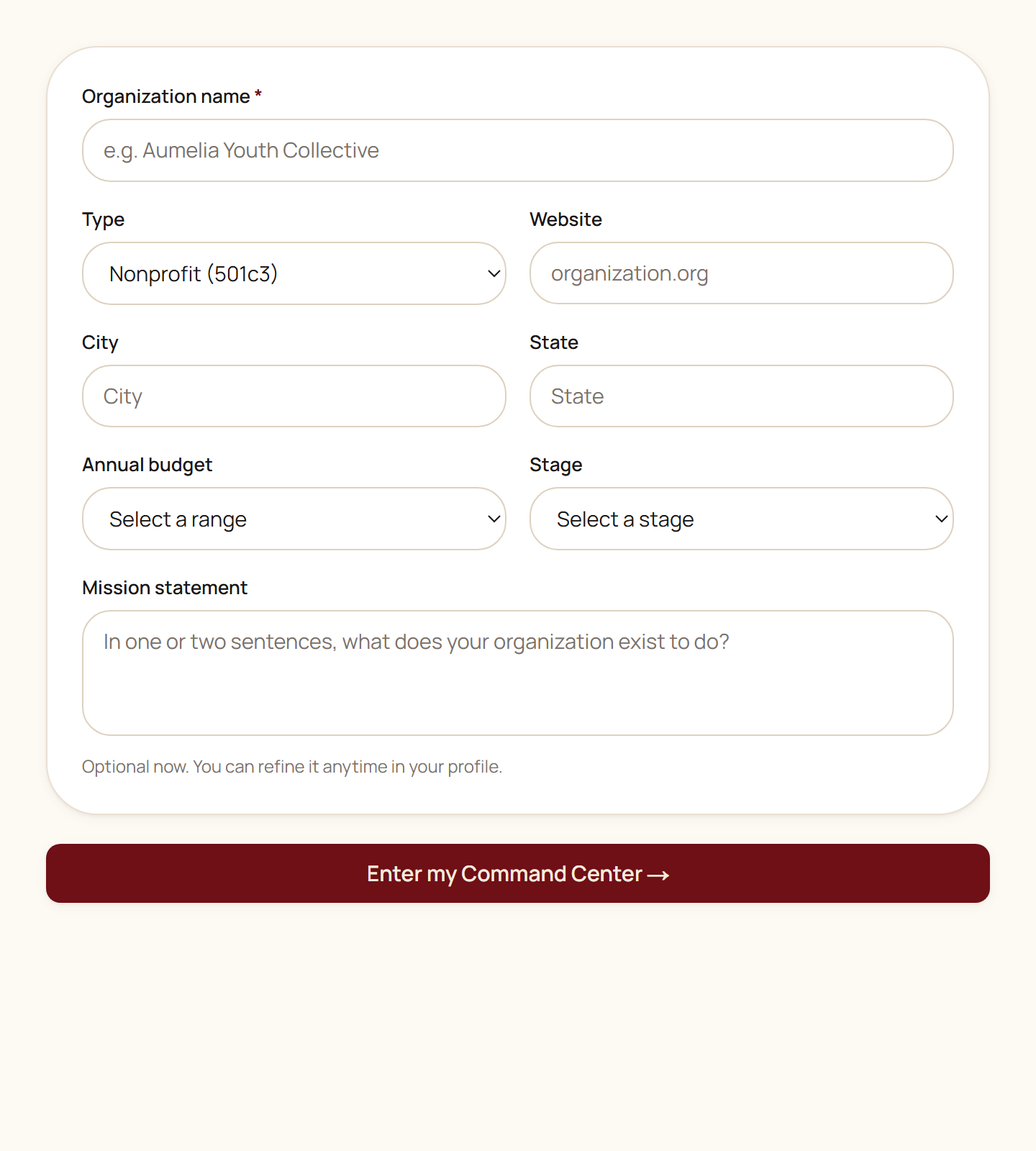
After you confirm your email, FundWisr asks for a handful of facts about your organization. This is the only form you cannot skip, because almost every tool reads from it.
| Field | Where it shows up |
|---|---|
| Organization name | Every document, report, and export FundWisr generates for you. |
| Type | Which tools apply. A fiscally sponsored project sees different governance requirements than a 501(c)(3). |
| City and state | Grant matching, funding corridors, and any jurisdictional compliance review. |
| Annual budget | Peer comparison, diagnostic weighting, and what counts as a material revenue concentration for you. |
| Stage | Which recommendations you get. Advice for an organization just starting is not advice for a mature one. |
If you were invited by somebody else
If a colleague invited you, your email contains an invitation link instead. Opening it adds you to their existing workspace, and you skip workspace setup entirely. You will land in the workspace with whatever role they chose for you.
Read next
- Your organization profileThe record every other tool reads from, why filling it in is the highest-value hour you will spend, and what each part of it unlocks.
- Your team and what each role can seeInviting people, the eleven roles, which ones use a seat, and how to give a consultant or auditor narrow access without handing over the organization.
Something here wrong, missing, or out of date? Email support@fundwisr.ai and tell us which chapter. Documentation defects are treated as defects.